
Watching a match in a headset begins with a practical question: what kind of picture is the service actually delivering? Brain Dance’s general viewing guide at https://braindancevr.com/how-to-watch-in-vr can help establish playback basics. The match provider must separately confirm availability, device support and the viewing format; a VR guide is not evidence that a particular broadcast is offered.
For an esports spectator, the interesting details often occupy very different parts of the picture. A player’s movement, a minimap, a score panel and the commentator’s explanation can all matter at once. A larger apparent screen or a more enveloping setting only helps if those details remain useful. Evaluate the viewing arrangement with the match itself in mind.
Identify the feed before choosing a seat
An ordinary broadcast shown on a virtual screen retains its original camera selection and graphics. The headset changes the viewing arrangement around that screen. It does not automatically create a new viewpoint inside the game or provide an immersive recording of the physical venue.
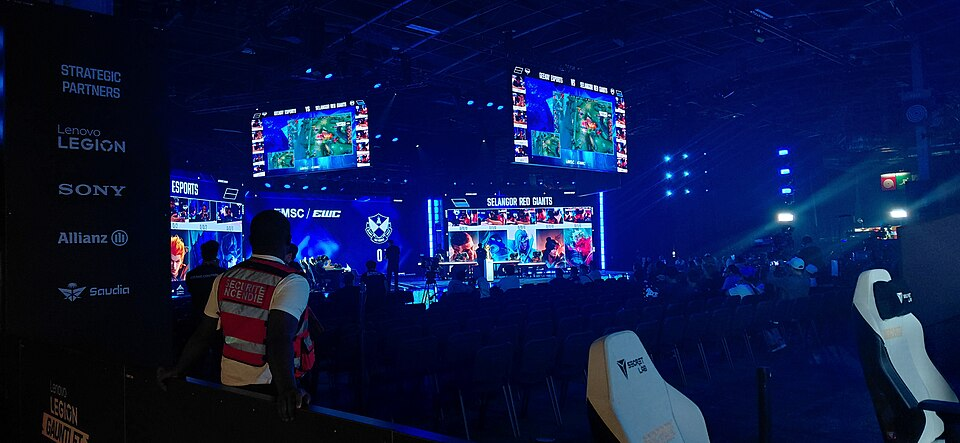
A venue recording and a game spectator feed answer different questions. One may show the stage, crowd and screens from a camera position. The other may follow the match through the game’s spectator tools. If an application offers an interactive environment, inspect its own description of what you can control. Avoid treating these distinct products as different names for the same experience.
Test the smallest useful information
Pick a short passage containing the information you normally rely on. Can you read the score and recognise the relevant interface elements? If a minimap is important to understanding the play, check it during movement rather than only while the picture is still. A presentation that looks impressive in a wide shot may be less helpful during a crowded exchange.
Adjust the virtual screen only through the options the application provides. Making it larger can also spread information across a wider part of your view. Try a position that lets you inspect the match without constantly searching for the edge of the interface. The useful setting depends on the layout of that particular broadcast.
Know whose camera you are watching
A broadcast director may switch between players, use replays or show a wider tactical view. A personal spectator mode may offer other controls. Read what the service provides before expecting to follow any player at any moment. The presence of a headset does not change the broadcaster’s production decisions.
When comparing two viewing options, use the same section of a match where possible. Note whether an important action was clearly shown or happened outside the chosen view. This keeps the comparison focused on the information available to the spectator instead of assuming that a novel presentation always communicates more.
Check audio and timing together
Confirm which audio output the application is using and whether commentary remains intelligible. Crowd sound can contribute atmosphere, but it should not obscure the explanation if that is how you follow the match. Available language, volume and subtitle options should be checked before a long session begins.
If you are watching with friends through different services or devices, the pictures may not arrive at the same moment. A reaction in voice chat can reveal an outcome before another viewer sees it. Check any synchronisation controls offered by the viewing application and agree how the group will handle replays or pauses. Do not assume that entering a shared virtual room removes every difference in delivery time.
Plan the ordinary controls
Find the menu and a reliable way to leave the experience. Check whether live playback can be paused or replayed, since those features depend on the provider. Settle the physical viewing position according to the headset’s instructions and keep the surroundings suitable for that mode.
After a short test, ask a simple question: did the arrangement make the match easier to follow? Record the useful details, such as readable graphics, clear commentary or a particular view of the venue. Those observations provide a better basis for the next session than a blanket judgment about watching esports in VR. The strongest setup is the one that supports the way you actually follow the game.